








More people are looking for alternatives to proprietary apps every day—even hugely popular apps like Google Maps. OpenStreetMap is the backbone of many open-source map apps, but it relies on volunteers to keep it updated. StreetComplete makes it easy and fun to participate.
OpenStreetMap has actually been around longer than Google Maps. For over 20 years, it’s been maintained by a community of volunteers, and it powers well-known apps such as OsmAnd, Komoot, Strava, AllTrails, Magic Earth, and even Pokémon Go. Long story short, it’s a service worth protecting.
The quest to make your local maps more accurate
Be the hero your area needs
There are plenty of ways to edit OpenStreetMaps, but it’s usually not a simple process. StreetComplete boils the editing into simple questions called “Quests.” Your answers are then used to improve the OpenStreetMaps data in your area. The beauty of it is that it doesn’t require any knowledge of how OpenStreetMaps works, and you earn points along the way.
To get started, download StreetComplete from the Play Store or F-Droid. Open the app and grant it permission to access your location. The app will immediately download Quests for your location, but you can also manually download Quests in other places. Zoom in on an area, tap the menu icon in the top right, and select “Download data here.”
There are many different types of Quests (here’s the full list) that appear on the map. The most common ones are simply confirming things like hours for businesses, whether steps have handrails, if trash cans or benches are still present, and stuff you can check in just a couple of seconds while you’re out.
Other Quests ask you to choose from multiple-choice responses. Some examples include surface types for roads and sidewalks, who is allowed to park in certain lots, the type of memorial or artwork, and types of building entrances. Again, these are typically very quick responses.
The Quests that require the most effort require actual typing—I know, I know, what a pain! Things like entering the address for a building, the name of a place, what a sign says, or the street that a house or business is on. If at any point you feel there are too many quests on the map, you can disable some by going into the settings under “Quest selection and display order.”

I tested 6 Google Maps alternatives—this is the one I’m sticking with
As good as Google Maps is, I’ve long found it cluttered and bloated, offering features that I never use. And since I’m also becoming increasingly aware of how much data Google has on me, I decided to find an alternative. After testing out six of the best, with hundreds of millions of downloads between them, there’s one that I really recommend.
Get rewarded with points and badges
Track your participation with achievements
At some point, you’ll be asked to sign in with an OpenStreetMap account or a third-party account. This will allow you to save your points and badges that accumulate as you complete Quests. Generally, Quests are worth one point, and every once in a while, you’ll unlock special badges.
You can see all of your points on your profile page. Tap the menu icon in the top right, then select “My Profile.” Here, you have stats for being active consecutive days, achievement levels, how many of each Quest you’ve completed, and your badges.
Gamified open-source contributions
All in all, StreetComplete is a simple way to be involved with a service you may already use. Next time you’re out on a walk or scrolling social media while waiting for someone, open this app and complete some Quests. It doesn’t take long, and your contributions are valuable.
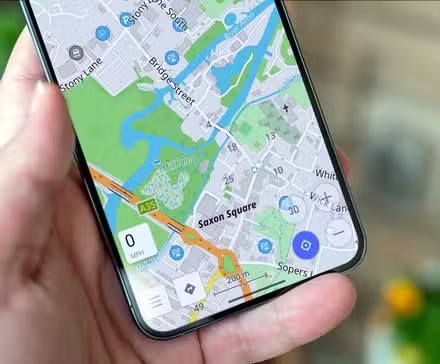
I switched from Google Maps to an open source alternative and I’m not going back
Google Maps has become more and more feature-rich over the years, and sometimes that is a good thing. However, between the sponsored listings, pop-ups I have to interact with while I’m driving, and a dubious privacy policy, I decided to switch to a privacy-focused alternative.
Source: Read Full Article