








It’s not an exaggeration to say that if you’re one of the six billion people who use the internet, it’s probably one of the most important technologies in your life. Just about everything you do every day relies on the internet in some way, but that also means you have sensitive information locked away on servers far away and out of your control.
The arms race between platforms and hackers over access to this sensitive data has been relentless, and the latest salvo against having your email or bank account hacked is a passkey. However, should you sync your passkeys to Google (or any cloud service) to make them more convenient to use? I think not, but let’s talk about the risks.
Passkeys promise a passwordless future—but at what cost?
Convenience or security?
What is a passkey? In case you didn’t know, it’s a cryptographic key that’s local to a specific device. In other words, it’s like having a keycard or physical security key like a YubiKey, but now it can be your smartphone, laptop, or any other compatible device.
The local authentication method you use, like a code or fingerprint scan, is now the method to access the passkey. In theory, this means that only someone who can unlock your device can use the passkey.
Syncing your passkeys creates a single point of failure
Putting your eggs in one basket
The problem is that passkeys can be incredibly inconvenient. The passkey lives on the device, and so if your device is lost, broken, or just not with you, you can’t use the passkey. Then, along comes Google and other password management services similar to them and offer you the option of passkey syncing. So that you can use your passkey on any device that’s logged into your account.
Convenient? Absolutely. But it also means your Google account effectively becomes the master key to every service protected by those passkeys.
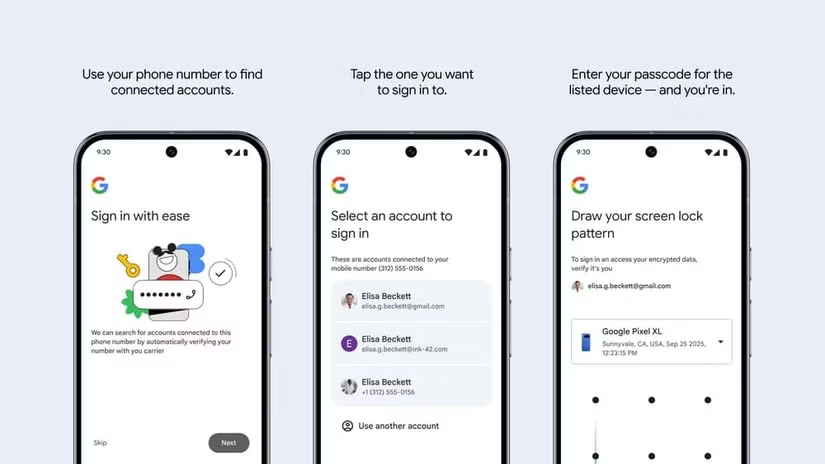
This ends up being no different to storing your passwords with an online service, assuming that both are encrypted. Attackers still need to target the service using traditional methods like phishing or exploiting some weakness in the account recovery process. Instead of spreading risk across multiple credentials, you’re consolidating it into one.
Cloud convenience weakens local security
Why hand over control?
The whole reason that passkeys are stronger than passwords is that the key only exists on your local device. If it’s never transmitted anywhere, then it can be hacked off a server. If someone steals your phone, extracting the passkey is virtually impossible, and you’d have enough to invalidate it in the highly unlikely event that your phone does get cracked.
Cloud syncing changes that equation. While companies like Google encrypt synced passkeys, they are still part of a broader system that includes account authentication, device trust, and server-side infrastructure. It’s a far more complicated system than vanilla passkey use, and the more complex you make a system, the more opportunities for exploits you create as well.
This moves trust from your device and its hardware security to Google’s security. Just the same as a password, and rather counter to the point of passkeys in the first place.
Account recovery becomes the weakest link
Hooking the low-hanging fruit
Hackers go for the weakest link in a system, which is why phishing and other forms of social engineering are so popular. Why try to break in if you can just fool a human being into handing over the keys?
In my opinion, that weakness is most likely to be the account recovery process. People lose passkeys, and they forget passwords, so every online service needs to offer you some way to get back into your account if that happens.
Email resets, SMS verification, backup codes, and customer support workflows can all become entry points. If someone can take over your Google account using a recovery method, they will effectively bypass your passkeys entirely.
Passkeys are still the future—just not this version of them
A little pain for a lot of gain
Passkeys have been problematic so far, but that doesn’t mean we should abandon them. It’s quite the opposite, in fact. It’s not the concept or technology of passkeys that’s the issue here. It’s the implementation that needs a rethink.
You don’t have to wait for your service providers to figure it out, however. You can use passkeys in a safer way right now. Remove them from your cloud-synced account or don’t do it in the first place. Keep unique passkeys on every device where you need to access your accounts. There’s nothing stopping your from having multiple passkeys, one for each device, to unlock things.
Yes, it is less convenient. However, in this case I’d argue that the level of inconvenience is minor compared to the increased level of security you get!
Source: Read Full Article