








Rufus has always been one of the best apps to create a bootable USB drive for installing Windows 11. The latest version of the app now includes even more features to significantly de-bloat Windows 11 and remove Microslop before installing the operating system. The update even introduces a new “Silent” mode for unattended installation.
Rufus allows removing even more “Microslop” from Windows 11
Eliminate Teams, Outlook, Copilot, and other Microsoft bloatware
Rufus has been one of the most popular tools to quickly create a boot disk. The latest stable version of Rufus is 4.13. However, its latest update, which is still in beta, packs several new features, particularly for Windows 11 users.
Moving forward, Windows 11 users can disable Teams, Outlook, Copilot, and other Microsoft bloatware. Previous versions of Rufus allowed disabling all the hardware requirements Microsoft mandated. The latest version kicks things up a notch.
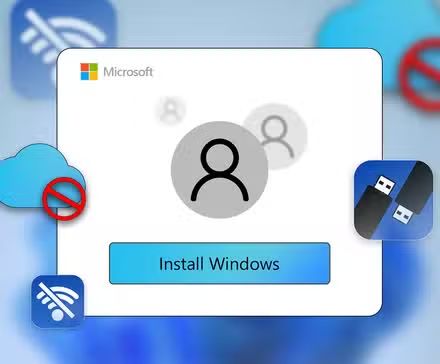
Rufus now allows Windows 11 users to turn off BitLocker. If that’s not impressive enough, Rufus can also tweak the installation media to allow local (offline) profiles. Microsoft has been steadily making it difficult to run Windows 11 without a Microsoft account. The new update clearly includes an as-yet unpatched method that allows Windows 11 users to set up an offline and local account.

Here’s the Easiest Way to Disable Windows 11’s Microsoft Account Requirement
Don’t get pushed into using a Microsoft account if you don’t want one.
Install de-bloated Windows 11 silently
Rufus gets a new unattended silent install script for Windows 11.
There are several modified or custom Windows ISOs floating around. Quite a few of these allow Windows users to quickly install the OS without needing to click through the OOBE (Out of Box Experience). The latest version of Rufus now includes the ability to automate the installation process, making it even more streamlined.
The new “unattended” mode automates the entire installation process. If selected, the mode allows the created installation media to speed through the entire process without any user intervention. It is important to note that the installation media is programmed to detect the first disk and install Windows 11 without a single prompt. Hence, users will have to ensure there are no other internal storage drives on their computer.
Apart from featuring the new unattended mode, there are new tooltips for all dialogs, making it easier to customize the installation media. Rufus also has improved Bazzite support, includes fixes for Windows to Go, and more.
The latest beta version of Rufus is available on its official GitHub repository. If Windows 11 users prefer to go the official route, and don’t mind installing Windows 11 with everything that Microsoft includes in the OS, there’s the Media Creation Tool app, which includes all the latest Windows 11 builds.
Apart from Windows 11, Rufus also supports most of the popular Linux distributions (distros). However, experienced users might prefer Ventoy if they are always trying out new Linux distros.
Source: GitHub
Source: Read Full Article