









We may earn a commission from links on this page.
I’m so much in the habit of recording and tracking my workouts that when I started training for Hyrox, my first question was, “how will I track them?” I want to keep an eye on my heart rate, so that narrowed it down to watches rather than smart bands or rings. But which is best? I tried four different watches and found two clear winners—depending on what you want to focus on.
Hyrox is, of course, the hybrid fitness sport that blends running with strength-endurance activities. (I have an explainer on it here.) A typical Hyrox or hybrid fitness workout involves cardio and strength exercises, which you’ll usually switch between throughout. You’ll probably want to note when you switch exercises (by pressing a lap button on your tracker), and you may want to track rests. If running is involved, you might want to know your run distance. No matter what, you probably want to keep an eye on your heart rate.
You don’t actually need a dedicated Hyrox mode to track a workout with your watch. Plenty of folks get by with their standard watch’s “gym cardio” or “indoor run” modes (though some of the stations won’t rack up any actual run mileage). But some watches do have a Hyrox or hybrid mode, so here’s what you’ll see if you use those.
Best for runners: Coros Pace 4’s hybrid fitness mode
Credit: Beth Skwarecki
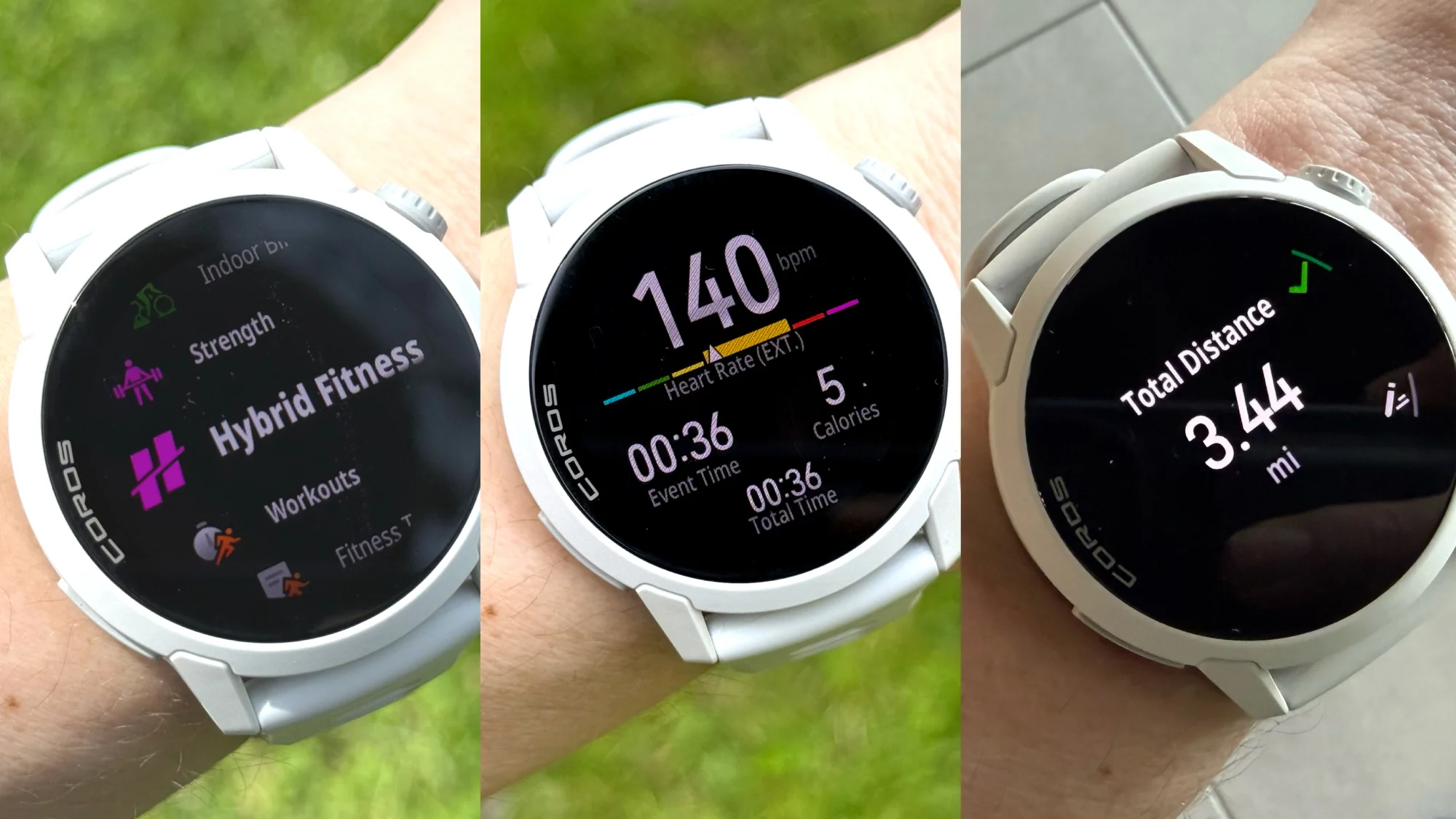
The Coros is my favorite for casual training. I can walk into the gym, start a workout on the watch, and know that everything important is getting logged. During each segment of the workout, I can see a timer tracking the length of my exercise, as well as my heart rate on a color-coded graph.
Coros automatically detects which segments were runs, and labels them as such when I view the workout on my phone later. The other segments are labeled as “functional training,” but I can edit the workout to properly label each one with the exercise I was doing. The best part is that Coros counts up your run mileage. As I’m leaving the gym, I’ll finish the workout on the watch, and get a little message that I racked up 2.73 miles in the process. I then use a voice note to jot down what the stations were, while they’re still fresh in my mind.
How to use it: Go into the activities menu and select Hybrid Fitness. I use Training mode with Manual rest, but if I know I’ll be jumping straight from activity to activity, I’ll select Continuous instead. Coros also has a mode for racing that shows your running pace during the run segments, and has the stations correctly labeled in order. There’s also a mode for a fitness test similar to the Hyrox PFT.
Best for following structured workouts: Roxfit with Apple Watch
Credit: Beth Skwarecki
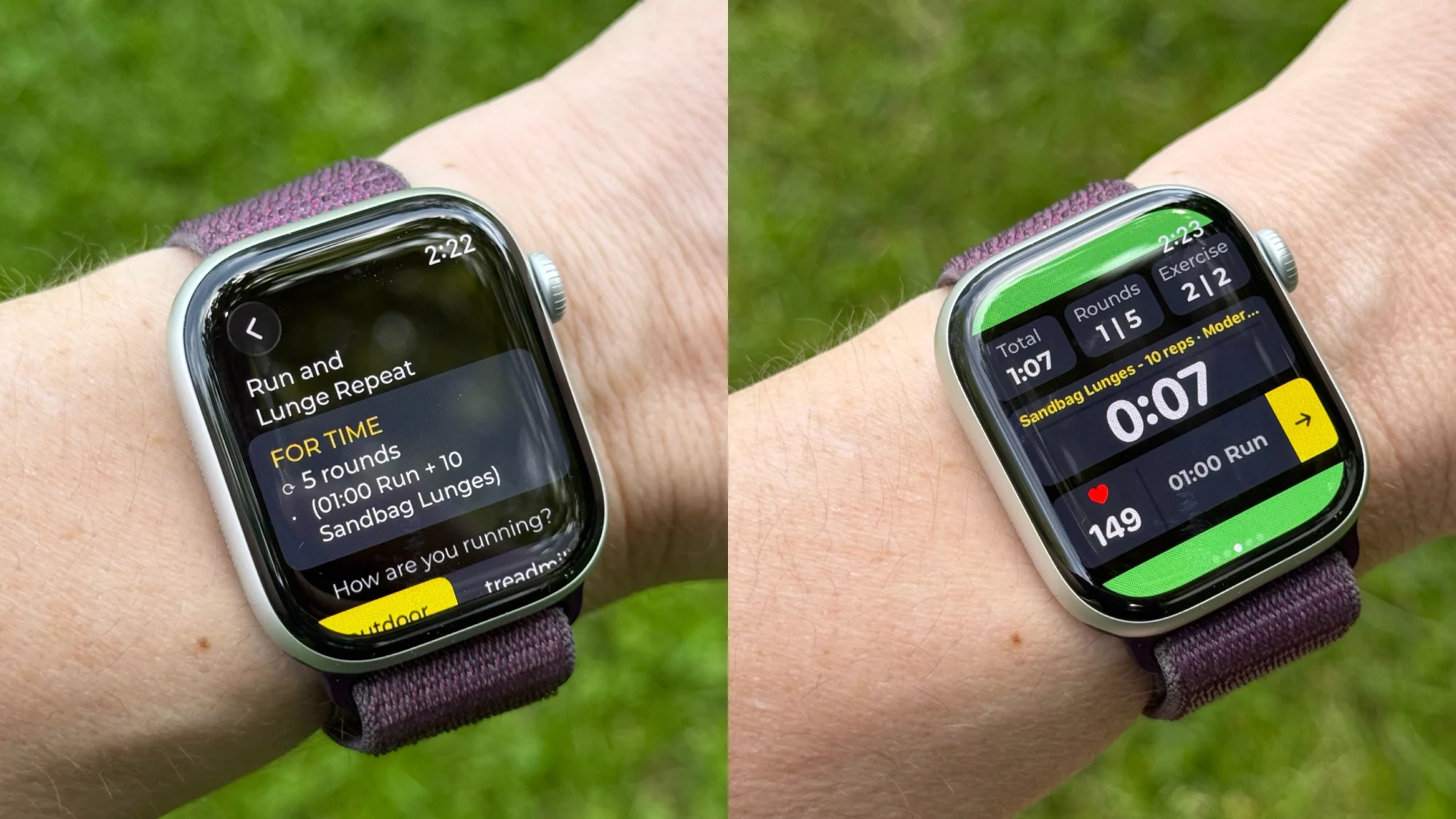
I found Roxfit when I went looking for a way to track hybrid workouts with Garmin. While Roxfit does work on Garmin watches, I preferred using it with the Apple Watch. Roxfit is actually a standalone app; you don’t need a watch to use it. But if you create a workout in the Roxfit app, you can sync that workout to your watch, and your watch will guide you through the workout. Roxfit also has a ton of other Hyrox-focused features, letting you connect your past race times and upcoming events, and build a pacing plan for your next race. Today, I’m only concerned with guidance and tracking for ordinary workouts.
There’s no way to track a freeform workout with Roxfit, but it’s easy to create a workout on the fly. Chat with “Hype” (the built-in chatbot) and ask it for whatever you need. You can also build a workout manually, but I found Hype tends to understand me pretty well. For example, I said, “Give me a workout with one minute of running and then 10 reps of lunges, repeated five times, no rest” and got exactly that.
What do you think so far?
The Roxfit app will tell you when you’re halfway through each segment, count down your last three seconds of timed segments, and helpfully read your next steps out loud: “Now: run one minute. Next up: sandbag lunges.” The data fields on the Apple Watch are easy to read and understand, but the Garmin version is okay, too. If you use Garmin, note that the “send to wearable” button in the Roxfit app sends the workout to your Garmin app, not to the watch itself. You’ll still need to go to the Garmin Connect app to send it to the watch.
How to use it: On your phone, create a workout, and sync it to your Apple or Garmin watch. From your watch, select the workout and start it from there. There is no way to start a freeform workout where you choose what to do in real time.
Runner-up: Amazfit’s Hyrox mode
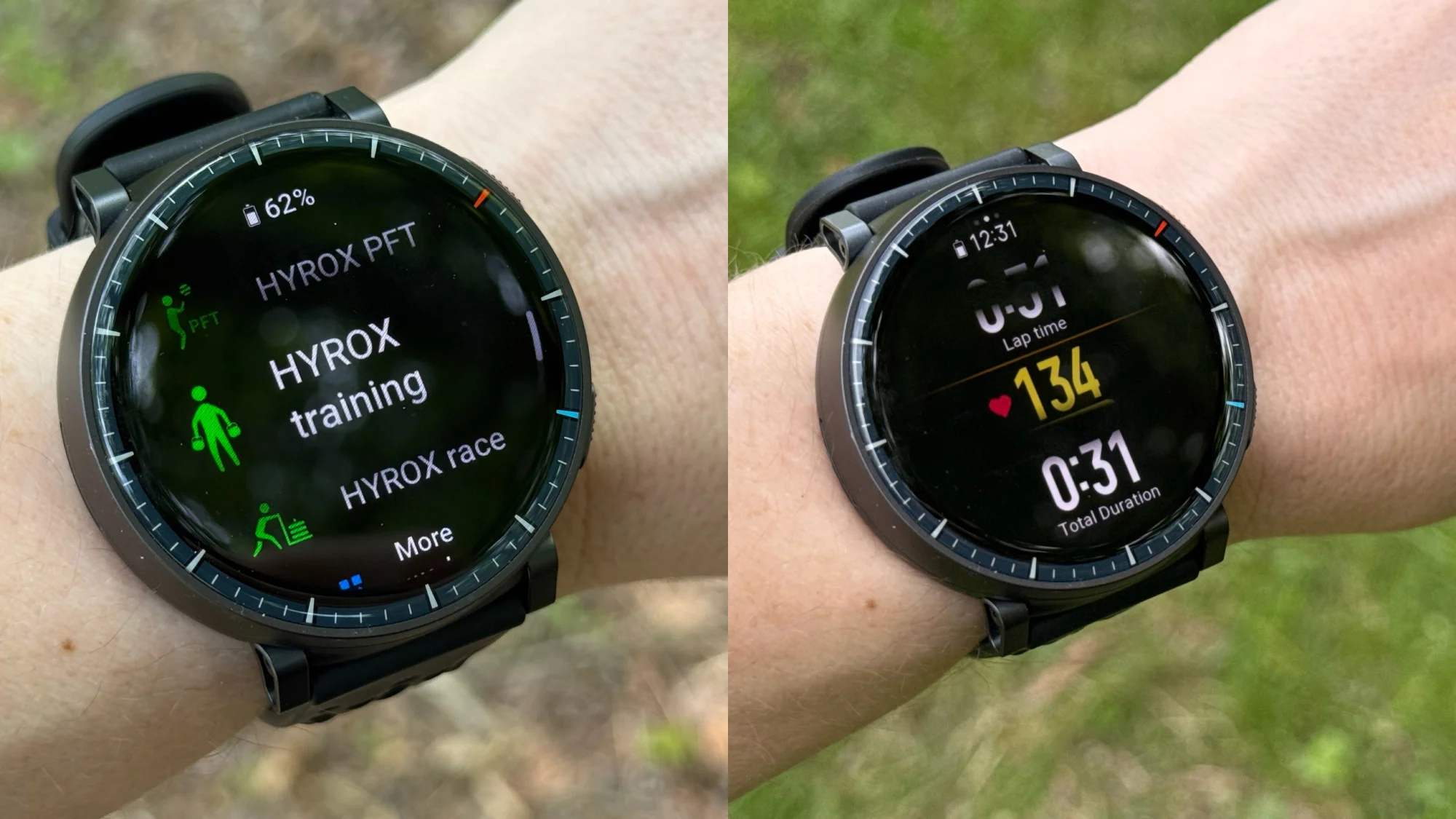
Hyrox mode on an Amazfit Active Max. Note that the fuzzy black bars are an artifact of taking the photo in sunny conditions; they aren’t visible in real life.
Credit: Beth Skwarecki
Of all the watches I’m discussing today, Amazfit is the only one that actually uses the word Hyrox. (Amazfit is an official partner of the Hyrox company.) Its Hyrox mode is similar to Coros’s, but doesn’t seem to count up running mileage or recognize running laps. Besides the “free” training mode, you can also use one of three timers: tabata (20 seconds work, 10 seconds rest, for four minutes), AMRAP (a set time cap for whatever you want to do), or EMOM (you’ll get an alert at the top of each minute to start your exercise, and then you rest for the remainder of the minute).
How to use it: From the activity menu, select Hyrox training. Use the lap button to create new laps or segments, or follow one of the timer modes. Runs will not be recognized, and run distance will not be tracked. There is also a race mode that labels each segment with its correct event (giving you a view with running pace for the running ones) and a mode for the Hyrox PFT test.
Source: Read Full Article