








DIY ESP32 projects can be a cost-effective way to build your dream smart home, especially if you’re looking for something unique that doesn’t exist in retail form. Unfortunately, planning and researching a project can be time-consuming and tedious. That is where Velxio comes in.
Developing ESP32 projects takes time
Planning is everything
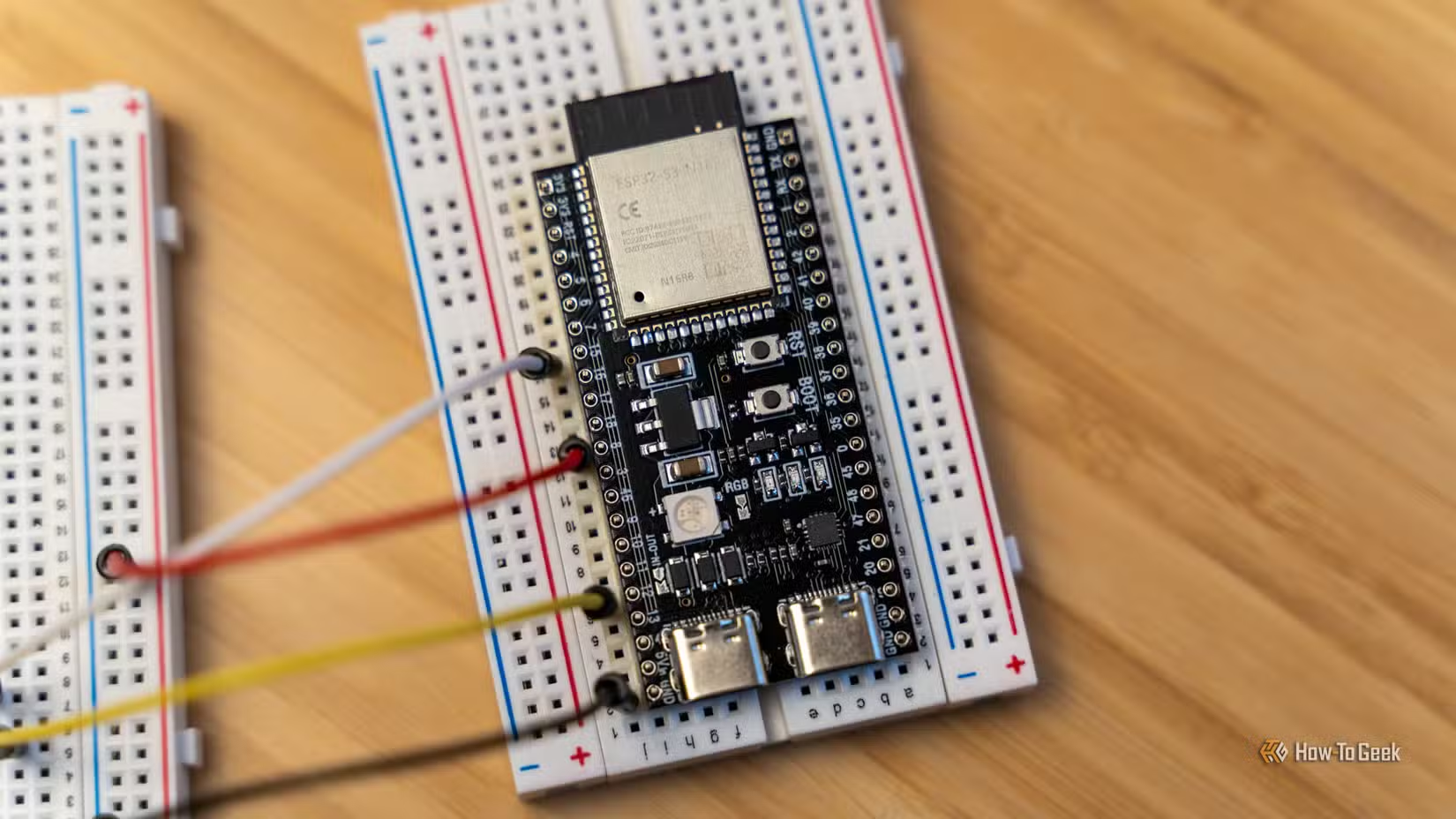
Every one of my ESP32 projects required the same first step: exhaustive planning.
The first thing I always do is figure out exactly what I’m going to need to make a project work. What board is the easiest to use? What sensors or libraries are necessary? Are there specific libraries available that make this project easier? Do the libraries actually work with all of the components involved?
It is a ton of work and highly theoretical—sometimes things just don’t work for one reason or another. Sometimes it is obvious, other times it requires extensive debugging.
Reality has a great way of turning my heavily-researched plan into a project that requires three revisions (not including code tweaks) before it works correctly.
Velxio is a local ESP32 simulator
The most valuable tool I’ve started using recently is an open-source ESP32 simulator, Velxio.
Velxio allows me to simulate the behavior of an ESP32 board. If you’ve used Wokwi before, the ideas are very similar. The major difference is that Velxio runs locally in a Docker container, either on your PC or server.
I do like the fact that my designs stay on my PC and that I’m not dependent on a third-party service. If I’m traveling, I can just connect to my home network to use Velxio, or install it on my laptop, if I don’t have an internet connection at all.
Write code before you buy a board
One of the most time-consuming parts of any project involving a microcontroller is programming. Even if you manage to find a project that does what you want, there is a good chance you’ll need to make adjustments, small updates, or customizations to make it fit what you had in mind.
Why my next microcontroller will be an ESP32, not a Raspberry Pi Pico
The ESP32 does everything a Pi Pico does, but costs less and lasts 100x longer on batteries
Velxio allows you to start writing code, testing libraries, and experimenting with different open-source projects before any of your physical parts arrive in the mail.
Test an entire project before you buy anything
Velxio isn’t limited to coding, either. You can also use it to simulate your hardware in advance.
That is useful in two different ways. First, it allows you to tinker with a range of different designs before you actually order your parts. Reworking a design digitally is a lot less time-consuming (and less expensive) than reworking a design with physical components.
Second, it allows you to ensure that your design actually works. You can iron out wiring schematics, test your code with simulated hardware, and even make your project “run” as if it were receiving input from the real world.
It isn’t a guarantee, since no simulation can ever account for every scenario or quirk perfectly, but it is still a much better way to work.
It has also given me a freedom to just try things on a whim that you don’t really have when you need to buy everything. I have no interest in some ESP32 projects in reality because I don’t really have a use for them, but they’re still interesting enough to load into a simulator and mess with.
Setting up Velxio
You only need a simple PC
Velxio is unbelievably easy to set up. It has two requirements:
- Docker must be installed on your system
- You must have an internet connection to download Velxio
If you’re running Windows, you need to install Docker Desktop. If you’re running Linux, follow the Docker installation instructions for your specific distro.
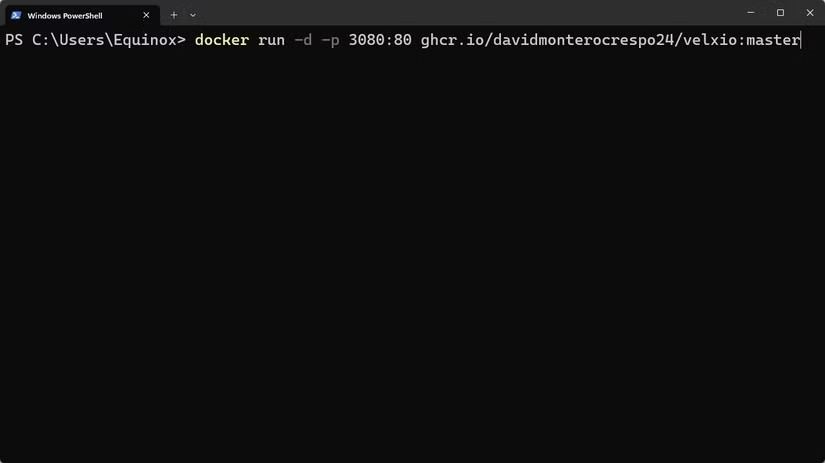
Once that is done, run the following command in the Terminal on any operating system:
docker run -d -p 3080:80 ghcr.io/davidmonterocrespo24/velxio:master
It’ll take a bit to download and install, but once it is done, open http://localhost:3080/ in your browser. If you’re hosting it on a server on your local network instead of your PC, replace localhost with the appropriate local IP address.
Velxio is useful for more than just ESP32 projects
I’ve primarily experimented with Velxio in the context of ESP32 projects, but it supports 19 total boards with a total of 5 different CPU architectures.
- Arduino — Uno, Nano, Mega 2560
- Raspberry Pi — Pico, Pico W, Raspberry Pi 3B
- ESP32 — ESP32-C3, ESP32-S3, ESP32-CAM, and others.
And it is under active development, so we’re likely to see additional microcontrollers added over time. I’ve shifted most of my Pi MCU projects to the RP2350. I’d love to see that included sometime in the future.
Source: Read Full Article