









Are you planning on building a NAS soon? Well, one thing you should be considering is whether it supports Docker or not. If it does, then there’s one Docker container I always launch on a new NAS, and it’s the first thing I think you should install, too.
Portainer has become a necessity for me
I’ve used Docker for the last five or so years, but recently started using Portainer to manage my containers. I’m not sure why I didn’t start using Portainer sooner.
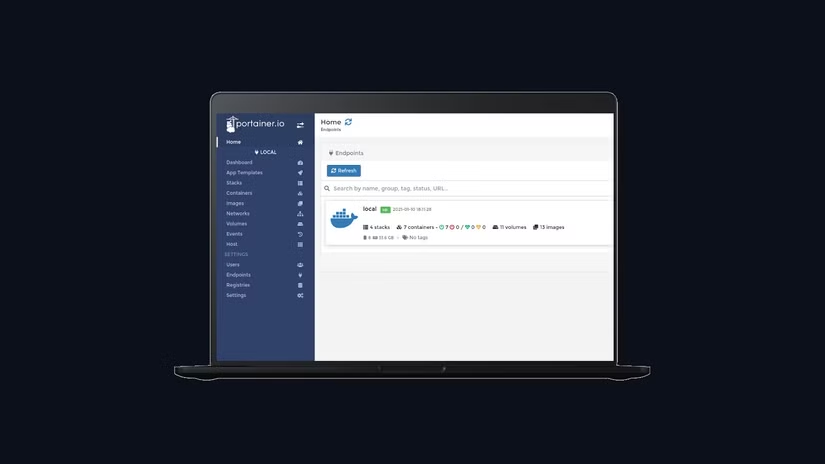
Simply stated, Portainer gives any Docker install a more user-friendly interface. Deploying containers is easier, managing containers is simpler, and you can use either Docker Compose to deploy apps or launch them manually.
Portainer is also extremely easy to set up. I avoided running it for a while because I wasn’t sure how easy it would be to deploy, and I was satisfied with Unraid’s Docker interface (since Unraid was my only server for about four years).
Deploying the Portainer Docker container is as simple as running two commands in Docker-CLI:
docker volume create portainer_datadocker run -d -p 8000:8000 -p 9443:9443 --name portainer --restart=always -v /var/run/docker.sock:/var/run/docker.sock -v portainer_data:/data portainer/portainer-ce:lts
With these two commands, you create a Docker volume, then launch Portainer. There’s no modifying of commands needed here, especially if Portainer is the first container you deploy (like it is for me).
I know I could choose other containers
The ease of deploying Portainer is why it’s the first Docker container I deploy on any NAS I build. Once I have Portainer up and running, all the other containers I plan to launch become easier to deploy.
I know that I could deploy Plex, Pi-hole, Home Assistant, or any other container as the first—and I used to. Plex used to be the first container I would deploy on any NAS. However, Portainer has simply changed all that.

How to Set Up Plex (and Watch Your Movies on Any Device)
Plex is one of the most ubiquitous and easy to use media streaming solutions around.
Because of how easy it is to launch Docker containers from within Portainer (and even easier to manage them once launched), Portainer is the obvious container for me to deploy.
One of the nice things about Portainer is that it supports Docker Compose with a traditional interface. So, you could have a Docker Compose file ready to launch your entire media stack, and then easily deploy it within a few seconds through Portainer.
I’ve used this several times personally. Once I have Portainer up and running, I immediately start deploying other containers because I’m just used to the Portainer interface at this point.
How I Run My Entire Homelab on Docker (And Why You Should Too)
All my services, all in neat little boxes.
The Portainer experience is consistent across all platforms
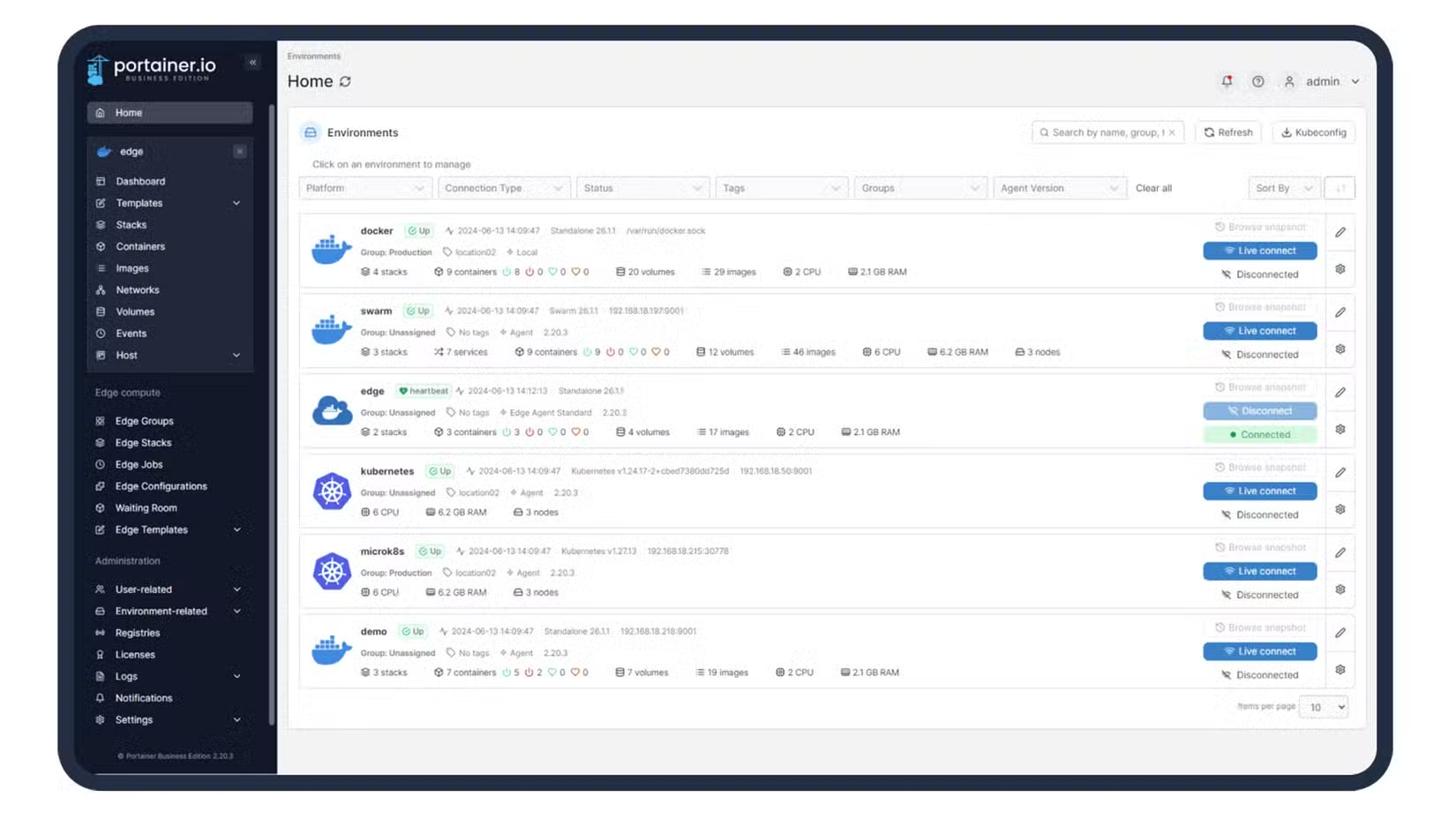
One of the things that I love about Portainer is it has the same interface no matter what you deploy it on. This allows you to just learn one Docker interface and use it everywhere.
Portainer can be deployed on traditional Linux (as I have it primarily), on a Rasberry Pi, under Unraid or TrueNAS, and even works on most Synology NAS systems. Essentially, if the system supports Docker, Portainer should work on it.
This is one of my favorite functions of Portainer. When I was looking at Unraid verses TrueNAS recently, I was turned off by the TrueNAS Docker interface. With Portainer, it doesn’t matter what the TrueNAS interface is for Docker, as the experience is the same no matter the platform.
This doesn’t change my opinion on TrueNAS versus Unraid, but it does make the transition to TrueNAS easier if that’s the system that works best for you.
Since my entire homelab runs on Docker, managing the containers within that environment is vitally important to me. That’s why Portainer is so important in my setup. It’s simply the best interface that I’ve found to manage Docker containers.
Once I have Portainer deployed on a new system, there are a handful of apps I always run. First off, these 10 Docker containers are a must for me. From a homelab dashboard to Plex, a reverse proxy, and more, my homelab couldn’t function without these containers.
When it comes to my network, there are seven tools that I specifically have deployed within Docker to help me accomplish tasks like content blocking, network speed monitoring, and even security camera recording.
Not sure whether you should be running Docker or a virtual machine? There’s a place for both, for sure, but I vastly prefer Docker when it comes to running applications, instead of having a lot of virtual machines spun up.
Source: Read Full Article