







Everyone is excited about OpenClaw and how it’s possible to turn one (or more) of your Raspberry Pis into AI agents that can autonomously work even when you’re not directing them.
OpenClaw is very cool, but also quite dangerous, and you don’t want to run it on a computer that has access to anything important. At least not while you’re still learning. Which is why a Pi is such a good choice. However, despite being the new hotness, OpenClaw is far from the only AI tool you can run from our Pi. So why not try something a little different this week?
Ollama is the key to many LLMs
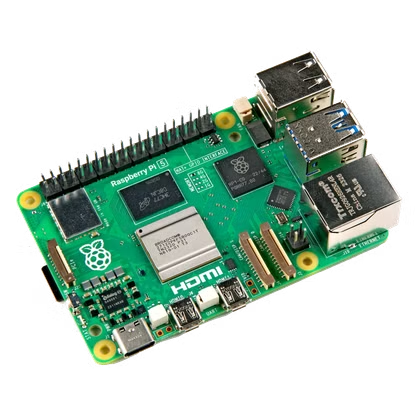
Ollama isn’t a specific AI model or tool, but it’s the key to the castle when it comes to running LLMs (Large Language Models) locally on your computer. Ollama is what I use to run DeepSeek on my MacBook, and it works incredibly well. Of course, even if you have the latest and greatest Raspberry Pi 5, don’t expect the fastest token rate. Also, you need a model with enough memory, so that’s probably going to mean a modern Pi with at least 8GB of RAM.
But maybe that doesn’t matter. Check out this video by Jeff Geerling where he uses Ollama to run DeepSeek on a Raspberry Pi.
Even with a small model, the token rate is incredibly slow, but not so slow that you couldn’t have some output made overnight and check it in the morning. However, the most interesting thing here is how Jeff uses an eGPU with the Raspberry Pi to get very usable speeds, and since the model loads into the GPU’s VRAM, the Pi’s memory is less of a concern. So even if this requires extra hardware, it still means your Pi could sit at the heart of a genuinely power-efficient local AI computer.
llama.cpp gives you control at the cost of simplicity
If Ollama doesn’t give you the control you need, then perhaps llama.cpp is what you’ve been looking for.
Llama.cpp is a core component in Ollama, but the implementations are quite different. Ollama is designed to be easy enough for anyone to use, but if you download the llama.cpp code from its Github page, you need to compile it yourself, and you have a high level of control over it.
Llama.cpp now comes with a minimal web interface, which means that after you compile it on your Raspberry Pi 5, you can access the AI using a web browser on the Pi itself, or from any device with a browser on the same LAN. I suppose you could access from outside your LAN using port forwarding or another safer method too, though maybe baby steps are better. Llama.cpp supports a huge number of LLMs, although you’ll have to pick a heavily quantized version for it to work on a Pi. There’s a great tutorial by garyexplains on GitHub to get you started.
Faster-whisper lets your Pi become a real-time transcription machine
Back in the ’90s, the biggest signal that AI had started to become useful, according to futurists, was natural speech recognition. I clearly remember working with early speech recognition tools in the ’90s (on a Pentium 166 MMX!) and having to carefully and deliberately say every word.
These days, we take fast and accurate speech recognition for granted, but it still takes smart software and a fair amount of processing power, usually from the cloud. OpenAI created a speech recognition model that’s robust with different accents and unique elements of speech that we all have. You can already run this model, called Whisper, on a Raspberry Pi 5 using an online guide, but there’s a version called faster-Whisper that does exactly what it promised. The creators claim it’s up to four times faster than Whisper without losing accuracy and while using less memory. That sounds perfect for a Raspberry Pi.
PicoClaw trims what little fat OpenClaw has
OpenClaw is not a heavyweight app, but almost immediately several people felt it could be simpler. One of the latest attempts is PicoClaw, which offers most of the power of OpenClaw at a fraction of the size and requirement. According to the website, it will run on a $10 Linux board or better, so if you have a Pi Zero or an old model Raspberry Pi lying around, this could be a good way to start playing with agentic AI.
However, the same security concerns still apply! So have fun with the cheap Pi hardware you already have, but do so with caution.
- Brand
-
Raspberry Pi
- Storage
-
8GB
Source: Read Full Article