







Android has a reputation of being more customizable than the iPhone, but that’s become less true over the last few years. For example, iPhones now come with an extra button just for shortcuts—Android could do it so much better, though.
The “Action Button” made its debut in 2023 with the iPhone 15 Pro and Pro Max. It replaced the long-standing mute switch, which has since been replaced by the Action Button on every iPhone model. There’s a lot of potential for a fully customizable bonus button, but that potential is not realized on an iPhone.
The Action Button is limited
It’s still an Apple device, after all
Admittedly, the Action Button is pretty darn cool. Combined with Apple’s excellent Shortcuts app, it can do some powerful stuff. For example, you can set it up to do different things when pressed based on the time of day. The problem is that Apple never truly relinquishes control to its customers.
The Action Button can only be assigned one action at a time. That action could be a complex multi-part automation, but it is still just one action. You can’t assign actions to a double-tap, triple-tap, or even a single tap. It’s a long-press and one action—that’s it. If you still want mute switch functionality with the Action Button, you haven’t actually gained anything.
This is a very common complaint amongst iPhone users. To get around it, people make the Action Button open Control Center or a menu of Shortcuts. But at that point, it’s just a shortcut to other shortcuts. I can’t help but feel like Android phones could do so much more.
Android devs would feast on an Action Button
The real heroes for Android customization
The truth about Android being so highly customizable is that it’s all about developers. Left to their own devices, most Android manufacturers aren’t much more “open” than Apple. Google is probably the most restrictive Android OEM, in fact.
Back in 2017, HTC launched a few phones with pressure-sensors along the lower edges. You could literally squeeze the phone to trigger a long list of actions. Google borrowed this exact idea for several generations of Pixel phones, but limited it to only launching Google Assistant. Lame.
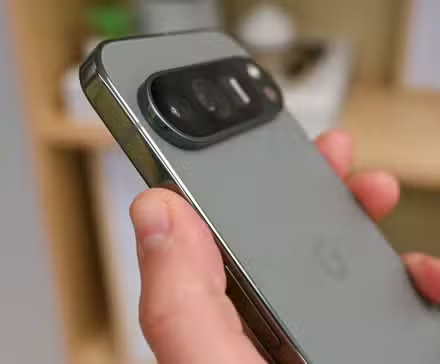
Squeeze your phone: Why Google’s forgotten Pixel gesture was better than anything today
The vast majority of phones now just have three buttons: Power, Volume Up, and Volume Down. If you’re really lucky, you might get a silent mode switch or an “Action” button. In 2017, Google introduced a feature called “Active Edge” that essentially made the Pixel 2 a giant button in and of itself. Allow me to explain.
To the shock of no one, the Android community quickly created apps that could “remap” the squeeze gesture. That’s why an Action Button on Android phones would be so awesome.
There’s a popular app called Button Mapper that truly demonstrates the potential. It allows you to choose custom actions for any physical or capacitive button on your phone (except the power button). Notice I said “actions” in plural. Each button can be assigned actions for a single tap, double tap, and long press. Some buttons, like a fingerprint scanner, also support swipe actions.
These actions can be anything from toggling the flashlight, making the screen stay on, opening the Quick Settings panel, adjusting volume, dimming the display, skipping forward in media, direct calling a friend, launching navigation to an address, identifying a song, opening apps, and so much more. There’s a smorgasbord of options.
Give us more buttons!
It’s sad to see such a cool idea relegated to iPhones. I think Apple did the best that Apple does, but I know how much better it could be on Android phones. If I’ve said it once, I’ve said it a thousand times: phones need more buttons! iPhone owners shouldn’t have all the fun.
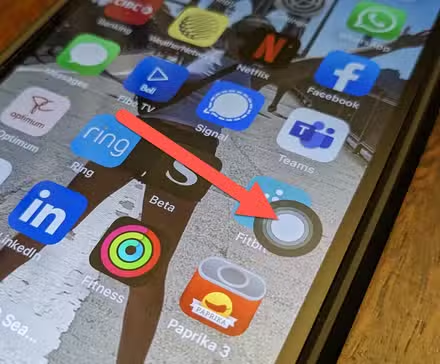
This App Brings One of the iPhone’s Best Features to Android
Even the biggest Android diehards have to admit that iPhones have some nice features. AssistiveTouch is firmly one of them. It’s that little floating button that lets you do almost anything without straining your thumb. You can get that on your Android device with a handy app.
Source: Read Full Article